My Neighborhood: A WebQuest
Project URL:
http://teachersnetwork.org/teachnet-lab/hornik/neighborhood/neighborhoodindex.htm
How it works:
In this WebQuest, students assume the role of tour guide and they research and present information about their neighborhood. Their task is to inform people about the sights and places to visit in their community by writing stories and creating maps, using photographs that they take on a tour of their neighborhood as motivation. Word processing skills are developed, a drawing program is used, and the pictures are placed on a neighborhood quilt.
Standards addressed:
Students use technology to assist in gathering, organizing, and presenting information; develop their concept of community; and produce a narrative account. They demonstrate a basic understanding of the rules of the English language, use word processing and drawing applications to write and illustrate original work, make an oral presentation of a project, analyze and subsequently work to improve its clarity and effectiveness, interpret and create maps, and participate in group meetings.
Materials used:
Required materials include computers with Internet access, word processing (Student Writing Center) and drawing and painting (Kid Pix) applications, a Neighborhood Map Machine CD-ROM, digital cameras, and a printer.
The students:
The second grade students who participated in this unit used the computer lab for their projects. This unit can easily be adapted for a classroom or library setting.
Overall value:
With My Neighborhood, students develop the concept of what a neighborhood/community is; improve their writing, editing, and word processing skills; take digital photographs; use a drawing and painting application; and work cooperatively within a group.
Tips:
Books related to neighborhoods are read at the outset of the unit. Any cameras, including disposable ones, may be used for the photography assignment in this unit. If it is not possible to take a neighborhood walk, photographs may be downloaded from the Internet.
|
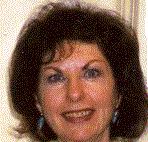
Carolyn Hornik has been a New York City public school teacher for twenty five years (12 years as a classroom teacher in third, fourth, and fifth grades and 13 years as a technology coordinator.)
She teaches in-service courses for the New York City Board of Education After School Professional Development Program and on-line courses for new teachers through
Teachers Network.
Chornik@aol.com
Estimated Class Periods To Complete: 10
or more
Subject: English, Social Studies
Beginning Grade Level: 4
Ending Grade Level: 8
|