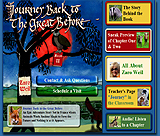
Narrative Writing for Publication
Project URL: http://teachersnetwork.org/teachnet-lab/ditmas/kelleher/narrative_index.htm
How
it works:
Using a diary or journal format, students create a fictional narrative
based on either a real individual or a character they create. They
investigate parts of a story such as conflict, plot, resolution, falling
action, etc., and then create a Microsoft Publisher webpage containing
that account. The students work their way through the writing process
by brainstorming, outlining, drafting, editing, and finally producing
their work, the webpage. They explore themes, point of view, character,
voice, and narrative writing.
Standards addressed:
Students produce a narrative account, learn the steps of the writing
process by editing and drafting their work, use the proper conventions
of English spelling and grammar, and produce a Microsoft Publisher
webpage containing a fictional narrative account.
The Internet is used to research information for their character's
accounts (particularly if they are writing their narrative based on
a real person), and to search for graphics to include on their webpage.
Materials used:
Required materials include computers with Internet access, Microsoft
Publisher, laptop computers, an LCD projector (to show students how
to use Publisher). You will also need notebooks, chart paper, sticky
notes, and rising action narrative maps. The project may be adapted
to format the webpages in another program available, such as Netscape
Composer or Microsoft Frontpage.
The students:
The program was originally designed for students who were reluctant
readers and writers. They were placed in a writing class based on
their reading scores. It was a small group of nine students who were
struggling in ELA and hesitant to participate in their ELA class.
This project was done in conjunction with the novel The Skin I'm
In by Sharon Flake, which utilizes narrative accounts throughout.
The students were all very excited about being able to write something
so creative and were truly engaged in the process, particularly when
it came to perfecting their webpages.
Overall value:
This project is both new and different. Students produce
a narrative account, and instead of doing so by creating a written
document, they produce a professional-looking, comprehensive webpage
on which they not only display their narrative, but discuss the process
of creating the narrative. This project works well because students
are motivated to create a good-looking webpage. It is more exciting
to see the templates and find graphics for a narrative account than
to simply write it using Microsoft Word or some other such program.
They learn how to use a new type of software, and by creating the
other pages on the webpage, they dissect the steps taken to create
the page.
Tips:
It is helpful for teachers to create a webpage of their own in order
to fully illustrate the assignment. It also helps to direct students
to kid-friendly sites such as Yahooligans to search for graphics in
order to avoid inappropriate pictures. I recommend implementing this
unit in conjunction with at least one written work that uses a narrative
account in it as an example to the students.
|

About the teacher:
Catherine Kelleher is in her fourth year of teaching at I.S. 62,
Ditmas Junior High in Brooklyn, NY. She has taught 6th, 7th, and 8th
grade ELA, Reading, and Writing. She is an avid reader and writer,
and loves to travel.
E-mail:
catie.kelleher@gmail.com
Subject
Areas:
English Language Arts
Technology
Grade Levels:
7
|