Virtual
Travel through the USA
Project URL: http://teachersnetwork.org/teachnet-lab/ps88/ridgewd/present
How
it works:
The students wrote about their experiences living in Ridgewood,
New York City. They e-mailed their writing to a Miami, Florida school
and received return e-mail about life there. The students in both
states also surveyed their own schoolmates on various topics. They
exchanged the data and graphed the comparisons. The students did a
great deal of writing. They also learned to create bar graphs and pie
charts using a computer spreadsheet.
My students created a QuickTime VR panorama of their classroom.
We used a Sony Mavica digital camera to capture twelve photographs,
completing a 360-degree view of the classroom. (A tutorial on
how to create QTVR panoramas is included in Lesson 7.) Each
student wrote a paragraph about a friend in the class. We
recorded them as they read their paragraphs into the computer, and we added these soundtracks to the QTVR panorama and sent
them to
Florida. The students were excited about creating this glimpse
of themselves. You can view this QTVR by clicking Sample Movie in the table of contents of this lesson unit.
Standards addressed:
The students developed drafting, writing, and revising skills.
They used strategies to edit and publish written work and created autobiographical
and expressive compositions, as well as personal letters. In
mathematics, they understood that data represent specific pieces of information about
real-world objects or activities. They organized, displayed, and read data in simple bar graphs, pie charts,
and line graphs, and understood that data comes in many different forms, and that
collecting, organizing, and displaying data can be done in many ways.
They also understood the basic concept of a sample.
Materials used:
For this project, you will need computers, an Internet connection,
one-time-use cameras, and a scanner.
The students:
My New York City class is comprised of fourth and fifth grade ESL
students from Mexico, Ecuador, the Dominican Republic, Uruguay,
Albania, Poland, Yugoslavia, Morocco, Pakistan, Yemen, and Vietnam.
They are a mix of beginning, intermediate, and advanced students.
Many of them had little or no computer experience.
Overall value:
I created Virtual Travel Through the USA to give my students a more complete picture of
their new country. Providing them with the opportunity to communicate
with other students their own age seemed like the best way I could
achieve this. The opportunity to communicate provided strong
motivation to write and to work on their graphs and charts.
Tips:
Plan the writing and survey topics as much as you can with the
teacher from the school with which you are communicating. |
About the teacher:
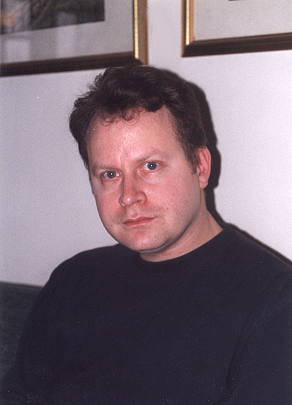
Dan Fenner is both the technology coordinator and an ESL
teacher at P.S. 88, a large elementary school in New York City.
E-mail:
dfenner@nycteach.net
Subject Areas:
ESL
English
Technology
Grade
Levels:
4-8
|