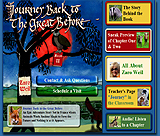
| Interactive
Textbooks
In
this unit, each student works on a chosen topic
related to technology and creates an educational
interactive textbook with text, graphics, animation,
buttons, review questions, assignments, and a
quiz. Interactive textbooks provide a powerful
and immersive environment for learning and acquiring
new skills. Students are challenged to understand
their topic not only intellectually, but also
visually and emotionally. They become educational
application developers and programmers as well
as writers, illustrators, animators, and audio
editors.
Subject
Area
Technology
Grade Levels
7-12
Objectives
Students
create educational interactive textbooks using
graphics, text, and animations; use the Internet
for research; create graphics and animations for
their projects; develop review questions, create
assignments, and program a quiz; publish and preview
their projects online; and present the textbooks
and get feedback from fellow students.
Internet Used
Students go online to view multimedia projects,
conduct research, develop content, learn about
storyboarding and view examples; use Flash tutorials,
and view their projects.
Materials
Used
This unit requires computers with Internet access,
Macromedia Flash, Microsoft Word, and a projector.
Standards
Addressed
Students use a variety of equipment and software
packages to enter, process, display, and communicate
information in different forms using text, pictures,
and sound; access needed information from media,
electronic databases, and community resources;
and apply technological knowledge and skills to
design, construct, use, and evaluate products
and systems to satisfy human and environmental
needs (http://emsc.nysed.gov).
Assessment
The Multimedia Project Evaluation Guideline is
used by the students to evaluate online multimedia
projects at the beginning of the unit. The same
guideline is used to evaluate the students’
work at the end of the unit.
Students Involved
This unit does not require any prerequisites or
special skills. Working individually helps ensure
that each student acquires the necessary skills
to tackle more advanced projects in the future.
Teacher Tips
The students can develop and present interactive
textbooks to younger children. This doubles the
excitement and increases students' responsibility.
If you do not have Macromedia Flash, a free 30-day
trial version can be downloaded from http://macromedia.com/.
You can consider using SWISHmax, a less expensive
version of Flash. While not as powerful and versatile
as Flash, it allows students to create eye-catching
presentation and brings fun and exciting discovery
opportunites to your class.
Overall
Value
This project connects students with subject matter
through images, sound, and text, which their understanding
of the topic and increases their ability to memorize
and recall information. Research shows that emotions
affect memory retention because the emotional
impact of a particular image or event has a profound
influence on its place in long-term memory.
|
|
| Maya
Bentz
Maya
Bentz
teaches computer classes to middle school
students. She has a Doctor of Education
degree from Teachers College, Columbia University.
She is a professor at the Kyoto College
of Graduate Studies for Informatics, Japan,
delivering distance learning courses in
e-Learning Theory. Her areas of interest
include Web-enhanced and computer-assisted
learning, computer-human interaction, digital
creativity, development of interactive educational
applications and 3D virtual learning environments.
|
|
|